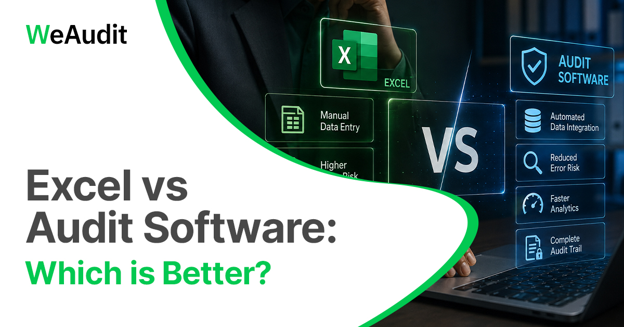
Excel has long been part of financial audits. Auditors and CA firms use spreadsheets for calculations, reconciliations, data analysis, working papers, and audit documentation. A financial audit checklist can also help auditors organize key audit activities and documentation.
As audit engagements grow, spreadsheets can require more manual effort for data processing, version control, and team coordination.
This is where audit software can add value. Unlike Excel, audit software is designed to support audit workflows, automate repetitive procedures, organize working papers, and improve collaboration.
The choice depends on engagement size, data volume, team structure, collaboration, and automation. Many CA firms can use Excel and audit software together.
Excel vs Audit Software: Quick Comparison
| Factor | Excel | Audit Software |
|---|---|---|
| Audit Working Papers | Can be created manually | Centralized and structured |
| Ledger Scrutiny | Mostly manual analysis | Automated scrutiny and exception identification |
| Reconciliation | Formula-based and manual | Automated reconciliation workflows |
| Data Volume | Suitable for manageable datasets | Designed to handle large datasets |
| Team Collaboration | Can become difficult across multiple files | Multi-user collaboration |
| Version Control | Manual file management | Centralized version tracking |
| Audit Trail | Depends on file history and documentation | Built-in audit trails |
| Automation | Requires formulas, macros, or manual processes | Built specifically for audit automation |
| Review Workflow | Manual sharing and review | Structured review and approval workflows |
| Data Security | Depends on file and storage controls | Centralized access and security controls |
| Scalability | Limited as complexity increases | Designed to scale across teams and engagements |
What Excel offers for Financial Audits
Excel continues to be a practical choice for many audit tasks. Its flexibility makes it easy for auditors to work with financial data, perform calculations, prepare working papers, and create analysis based on the needs of each engagement.
Excel works particularly well when the audit involves:
- Calculations: Creating formulas and performing audit-related computations
- Reconciliations: Comparing and matching financial data
- Working Papers: Preparing supporting schedules and audit documentation
- Data Analysis: Sorting, filtering, and analyzing financial information
- Smaller Engagements: Managing audits with limited transaction volumes
- Custom Analysis: Building templates, financial models, and analysis tailored to the engagement
For smaller audits with manageable data volumes, Excel can provide the flexibility auditors need without adding unnecessary complexity.
As audit requirements grow, spreadsheets can become harder to manage, especially with larger datasets, multiple users, and frequent review cycles.
Limitations of Excel for Large or Complex Audits
As audit becomes more data-intensive, relying heavily on Excel can introduce several challenges.
- Manual data processing: Large datasets often require significant manual effort to import, clean, organize, and analyze. Repetitive processes can consume valuable audit time.
- Version control issues: When multiple versions of spreadsheets are shared between auditors, reviewers, and clients, it can become difficult to determine which file contains the latest changes.
- Limited audit workflow management: Excel is primarily a spreadsheet tool. It does not provide a complete audit workflow for assigning tasks, tracking review notes, managing approvals, or monitoring audit progress. Understanding the stages of audit process can help firms identify the different activities, reviews, and documentation requirements involved in managing an audit.
- Manual exception identification: Auditors may need to create formulas, filters, or additional checks to identify unusual transactions or exceptions.
What Dedicated Audit Software Offers for Financial Audits?
As audits grow, managing data, working papers, reviews, and reconciliations across multiple spreadsheets can become difficult. Dedicated audit software brings these activities together in one centralized platform.
Dedicated audit software can bring together:
- Ledger scrutiny and exception identification
- Automated reconciliation and data analysis
- Centralized working papers and documentation
- Review workflows and multi-user collaboration
- Schedule III financial reporting and Tax Audit 3CD support
- ERP and accounting software integration
The goal is not to replace Excel entirely, but to reduce repetitive manual work and create a more structured audit process.
WeAudit supports data from Tally, Zoho Books, Excel, and CSV files, bringing ledger scrutiny, reconciliation, financial reporting, and audit analysis into a single platform.
Can WeAudit Work With Excel?
Yes. WeAudit can work with Excel-based audit workflows. Auditors can upload Excel or CSV files to analyze financial data, perform ledger scrutiny, reconciliation, reporting, and other audit procedures.
This allows CA firms to continue using Excel for calculations, customized analysis, and supporting schedules while using WeAudit to automate repetitive audit activities and manage structured audit workflows.
This approach can make the transition from spreadsheet-based processes to audit software more practical, without requiring firms to completely change the way they work with financial data.
Excel vs Audit Software: Key Differences for Auditors
Audit Documentation and Working Papers
Excel offers flexibility for creating customized working papers and supporting schedules. However, managing multiple files can become difficult as engagements grow.
Audit software provides a centralized space for working papers, making documentation easier to organize, access, and review.
Ledger Scrutiny and Transaction Analysis
Excel can help auditors sort, filter, and analyze ledger data, but identifying exceptions often requires manual formulas and checks.
Audit software can automate ledger scrutiny and flag potential discrepancies, allowing auditors to focus more on reviewing exceptions and applying professional judgement.
Reconciliation and Data Matching
Excel works well for simple reconciliations using formulas, lookups, and filters. However, repeated or large-scale reconciliations can require considerable manual effort.
Audit software automates data matching and reconciliation, helping reduce repetitive comparison work. WeAudit also supports automated GSTR-9 and GSTR-9C reconciliation.
Team Collaboration and Review
Sharing Excel files across an audit team can make collaboration difficult, particularly when multiple versions are being reviewed or updated.
A centralized audit platform supports multi-user workflows, allowing auditors and reviewers to manage documentation, observations, and review requirements in one place. This can make it easier for CA firms to coordinate audit activities using cloud-based financial audit software.
Audit Trail and Version Control
With Excel, tracking changes depends on how files are named, stored, and shared, which can make version control challenging.
Audit software provides centralized documentation with structured records of changes, reviews, and approvals, improving visibility throughout the audit.
Automation and Audit Efficiency
Excel can automate tasks through formulas, macros, and Power Query, but these processes often need to be built and maintained manually.
Audit software provides audit-specific automation for activities such as ledger scrutiny, reconciliation, financial analysis, and reporting, helping reduce repetitive work.
Handling Large Audit Data Volumes
Excel is effective for many types of analysis, but managing large datasets across multiple spreadsheets can become increasingly difficult.
Audit software is better suited to growing data volumes, with centralized workflows, standardized checks, and tools designed specifically for audit processes.
When Is Excel Enough for an Audit?
Excel can still be the right choice when:
- The audit engagement is relatively small
- Transaction volumes are limited
- Analysis requirements are straightforward
- One auditor or a small team is handling the engagement
- Collaboration requirements are minimal
- Excel is being used alongside other audit tools
There is no need to replace Excel simply because dedicated audit software exists.
For many auditors, Excel remains useful for specific calculations, customized analysis, and supporting schedules.
The key is understanding when spreadsheet-based processes start consuming more time than they save.
When Should CA Firms Move from Excel to Audit Software?
A CA firm may benefit from moving toward dedicated audit software when it starts experiencing:
- An increasing number of audit engagements
- Large transaction datasets
- Multiple auditors working on the same engagement
- Frequent review and approval requirements
- Growing documentation requirements
- Increasing demand for automated ledger scrutiny and reconciliations
- Difficulty maintaining consistent audit workflows
These indicate that the firm may benefit from a more structured system to manage increasingly complex audit processes.
How WeAudit Helps Reduce Manual Audit Work
WeAudit helps CA firms automate repetitive audit activities while managing key audit processes through a centralized platform. It works with Tally, Zoho Books, Excel, and CSV files, allowing firms to continue using familiar data sources while streamlining audit workflows. Firms evaluating different solutions can also compare the best audit management software based on their requirements for automation, collaboration, documentation, and audit workflows.
For CA firms, relevant capabilities include:
- AI-powered ledger scrutiny to analyze transactions and identify discrepancies
- Automated reconciliation to reduce manual data matching
- Schedule III validation and financial reporting
- Centralized working papers and audit documentation
- Review workflows for structured audit processes
- Team collaboration across audit engagements
- ERP integration with accounting platforms such as Tally and Zoho Books
This allows firms to retain Excel for tasks where it adds flexibility while automating more structured and repetitive audit procedures.
Excel vs Audit Software: Which One Should You Choose?
There is no universal answer. The right choice depends on the audit engagement and the firm's requirements.
Choose Excel when:
- Audit requirements are limited
- Data volumes are manageable
- The engagement has minimal collaboration requirements
- Customized calculations or analysis are required
- The audit can be managed efficiently through existing spreadsheet workflows
Choose Audit Software when:
- Audits involve large datasets
- Multiple team members are involved
- Standardized workflows are required
- Frequent reviews and approvals are involved
- Automation is a priority
- Centralized audit documentation is required
- The firm is managing multiple engagements
For many CA firms, the practical approach is to use both tools based on the requirements of each audit activity.
Conclusion
Excel remains effective for smaller engagements, manageable datasets, and audit procedures that require customized calculations and analysis. As audit complexity and transaction volumes increase, however, dedicated audit software becomes more valuable for managing structured, data-intensive, and repetitive audit processes.
For CA firms, the choice does not necessarily have to be between Excel and audit software. Excel can continue to support specific analytical requirements, while audit management software can provide the structure and automation needed for more complex engagements.
FAQs
Is audit software better than Excel?
For large and complex audits, dedicated audit software can provide advantages in automation, workflow management, collaboration, audit trails, and centralized documentation. Excel can still be more practical for smaller engagements and customized calculations.
Can Excel be used for financial audits?
Yes. Excel is widely used for audit calculations, reconciliations, working papers, data analysis, sorting, filtering, and other audit activities. Its suitability depends on the size and complexity of the engagement.
What are the limitations of Excel for audit work?
Common limitations include manual data processing, version control challenges, limited workflow management, manual exception identification, and difficulties with multi-user collaboration as audit complexity increases.
When should a CA firm switch from Excel to audit software?
A CA firm should consider dedicated audit software when it is handling larger datasets, multiple audit teams, frequent review requirements, increasing documentation, or repetitive procedures such as ledger scrutiny and reconciliation.
Can audit software replace Excel completely?
Not necessarily. Excel remains useful for customized calculations, financial analysis, and supporting schedules. Audit software can complement Excel by handling structured audit workflows, automation, documentation, and collaboration.